

No Products in the Cart

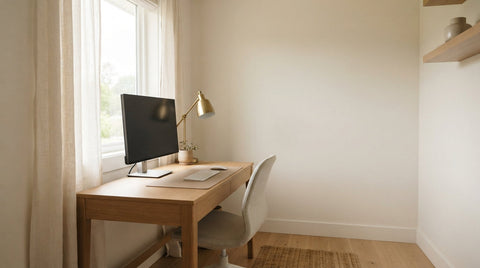

Short answer: the pages we read give no single weight for two monitors and a computer, because it depends on the models. Using weights published by Dell, LG and Apple, plus ranges from a desk seller, two 27 in monitors on their stands, a tower computer, a keyboard, a lamp and a dock add up to about 46 to 80 lb by our arithmetic. Temple University's buying guide says most quality desks support 200 to 300 lb or more, and says to avoid setups that approach a desk's rated maximum. Desk sellers give different margins, from keeping the load to 60 to 70 percent of the rating (VersaDesk) to adding 20 to 30 percent to the equipment weight (Eureka Ergonomic). Our nine electric desk listings state 132 to 220 lb, and none says whether that includes the desktop. We found no computer monitors or desktop computers in our store, so this guide covers desks only.
This guide is general information, not engineering or safety advice. Product details in our listings come from our supplier and we have not verified them. Prices are the lowest option price and can change. Last updated: November 20, 2026.
About this guide: we are an online store, and we sell standing desks, so we have a commercial interest in this topic. We do not test the products we sell. This guide summarizes pages from Temple University's campus operations office, Consumer Reports, Tom's Guide (a review site that says it may earn affiliate commissions), four desk sellers (Eureka Ergonomic, Progressive Desk, VersaDesk and UPLIFT Desk) and the manufacturer pages of Dell, LG and Apple for the weights of their products. Desk sellers have an interest in what buyers choose, so we mark who says what. Where a number is our own arithmetic or our own reading, we say so.
| Question | What the pages say | Who says it |
|---|---|---|
| How much can a standing desk hold? | Most quality desks support 200 to 300 lb or more, and most standard two-leg electric desks hold 200 to 300 lb, with some models at 350 lb or more. Our nine electric listings state 132 to 220 lb | Temple University, Tom's Guide, our listings |
| What does a monitor weigh? | Dell lists 7.63 lb for a 24 in and 10.12 lb for a 27 in monitor with stand and cables. LG lists 17.5 lb for a 27 in monitor with its stand. Same screen size, different models, more than 7 lb apart | Dell and LG (manufacturers) |
| What does a computer weigh? | Apple lists 1.5 lb for the Mac mini with the M4 chip. Dell lists a starting weight of 19 lb and a maximum of 28.5 lb for its Tower Plus desktop | Apple and Dell (manufacturers) |
| Does the rating include the desktop? | The sources differ. Eureka says yes in most cases for a complete desk, Progressive Desk says both things on one page, and VersaDesk and UPLIFT do not say | Eureka (seller), Progressive Desk (seller), VersaDesk (seller), UPLIFT (seller) |
| How much margin should I leave? | Eureka adds 20 to 30 percent to the equipment weight, Progressive Desk suggests a 20 percent buffer, and VersaDesk says to keep the load to 60 to 70 percent of the rating. Temple gives no number and says to avoid setups that approach the maximum | Eureka, Progressive Desk and VersaDesk (sellers), Temple University |
| Where should the weight go? | Heavy items over the legs, not on one edge or at the back edge on a clamp. Drawer contents also count | Eureka (seller), Progressive Desk (seller), Consumer Reports |
| What do we sell? | Standing desks. We found no computer monitors or desktop computers among our active products | Our catalog, checked November 20, 2026 |

A capacity figure is not always the same kind of number. Two questions decide how to read one: what kind of load it describes, and whether the desktop counts toward it.
| Source | Static | Dynamic or lifting |
|---|---|---|
| Eureka Ergonomic (published November 4, 2025, credited to the company; desk seller) | The constant weight of everything that stays on the desk, such as monitors, computer, keyboard and speakers. The page says most manufacturer ratings refer to this figure | Temporary forces, such as leaning on the desk, setting down heavy books, or the strain on the motors while lifting |
| VersaDesk (Anthony Taneo, an ergonomics consultant who works at VersaDesk; no date shown; desk seller) | How much a frame holds while stationary | Lifting capacity, which the page also calls dynamic capacity: how much the motor can safely raise and lower. The page says this is the more important figure for height-adjustable desks |
Our reading: the two pages use the word dynamic for different things, so a listing that says only weight capacity or load capacity does not tell you which kind it means. None of our listings says which kind it states. The ErGear listing says its motor supports up to 132 lb of equipment, which is closer to a lifting figure.
| Source | What it says |
|---|---|
| Eureka Ergonomic (seller) | In most cases yes for a standing desk sold with its desktop, because reputable makers' lifting capacity accounts for it. If you build a desk from a separate frame and top, subtract the top's weight from the frame's rating |
| Progressive Desk (Nataliia Borysko, a content copywriter at Progressive Automations; posted May 21, 2024, updated April 28, 2026; desk seller) | In one section the page says the rating does not include the tabletop. Elsewhere it tells readers to subtract the tabletop's weight from the frame's rated capacity before adding equipment. The page does not reconcile the two |
| VersaDesk (seller) | Does not say whether a manufacturer's figure includes the desktop. Says the desktop's weight counts toward your total load when you buy frame and desktop separately |
| UPLIFT Desk (published March 27, 2025, no author shown; desk seller) | Does not say outright. It says about 250 lb remains for monitors and accessories after a solid wood desktop on a 2-leg desk, which suggests the desktop counts against the rating. Our arithmetic: its 355 lb rating minus its 82.5 lb example desktop is 272.5 lb, not 250, so the page's own numbers do not fully match |
| Our nine electric listings | None says |
| Desktop | Weight as published | Source |
|---|---|---|
| Laminate or MDF | 25 to 50 lb | VersaDesk (seller) |
| Laminate | 34 to 65 lb, depending on size | UPLIFT Desk (seller) |
| Solid wood or bamboo | 40 to 70 lb | VersaDesk (seller) |
| Solid or reclaimed wood | Often 50 to 80 lb | Progressive Desk (seller) |
| Solid walnut, 1.75 in thick, 60 x 30 in | About 82.5 lb, or about 6.6 lb per square foot | UPLIFT Desk (seller) |
| 72 x 30 in Soft White tabletop | 70.75 lb | Progressive Desk (seller) |
| 48 x 30 in Black Bamboo Curve tabletop | 43 lb | Progressive Desk (seller) |
Our suggestion: if a listing does not say whether the rating includes the desktop, subtract the desktop's weight when you know it, which is the cautious reading, or ask the seller before you order. We found no desktop weight in any of our desk listings.
These weights come from the maker's own page where we found one. Each page labels weight in its own way, so we give the page's label.
| Monitor | Size | With stand | Without stand | Page and date |
|---|---|---|---|---|
| Dell SE2425H | 24 in | 7.63 lb (with stand assembly and cables) | 6.17 lb (panel only, for VESA mount) | Dell datasheet, marked v.1 07/2024 |
| Dell SE2725H | 27 in | 10.12 lb (with stand assembly and cables) | 8.25 lb (panel only, for VESA mount) | Same Dell datasheet |
| LG 27BR650B-C | 27 in | 17.5 lb | 11.4 lb | LG US page, marked discontinued, no date |
| LG 34WP65C-B (curved ultrawide) | 34 in | 7.7 kg, about 17.0 lb (our conversion) | 5.8 kg, about 12.8 lb (our conversion) | LG UK page, no date |
The two 27 in monitors differ by more than 7 lb (10.12 lb against 17.5 lb) and they are different models, so screen size alone does not tell you the weight.
| Computer | Weight | Page and date |
|---|---|---|
| Apple Mac mini (2024), M4 | 1.5 lb | Apple support tech specs page. It says weight varies by configuration and manufacturing process, lists the year introduced as 2024 and shows no publish date |
| Apple Mac mini (2024), M4 Pro | 1.6 lb | Same Apple page |
| Dell Tower Plus (EBT2250) | Starting weight 19.00 lb, maximum weight 28.50 lb | Dell shop page. An asterisk on both figures is not explained, no revision date is shown, and the page shows a Sold Out banner |

| Item | Range as published | Source |
|---|---|---|
| Monitor, 24 to 27 in | 10 to 18 lb each | VersaDesk (seller) |
| Monitor, 21 to 24 in | 5 to 10 lb. Larger or ultrawide models 20 lb or more (UPLIFT cites Lenovo) | UPLIFT Desk (seller) |
| Monitor arm | 5 to 15 lb. UPLIFT lists 11.2 lb for its Crestview single arm | VersaDesk (seller), UPLIFT Desk (seller) |
| Desktop tower | 15 to 30 lb | VersaDesk (seller) |
| Docking station | 2 to 5 lb | VersaDesk (seller) |
| Keyboard, mouse, small accessories | 3 to 6 lb | VersaDesk (seller) |
| Desk lamp | 2 to 5 lb | VersaDesk (seller) |
| Hardcover books | 2 to 7 lb each | Progressive Desk (seller) |
| A person leaning on the desk | 15 to 25 lb of force | Progressive Desk (seller) |
| Drawers and tray, empty | Compact drawer 5.6 lb, larger drawer 9.6 lb, cable tray 2.65 lb (as listed on the page) | Progressive Desk (seller) |
We found no manufacturer page for a full-size gaming tower. Progressive Desk says a heavier gaming or multi-monitor setup can sometimes reach 150 lb, and Tom's Guide says some desks hold 350 lb or more and links that to multi-monitor or gaming setups. Neither gives a tower weight.
Eureka's checklist tells readers to look up each item's official weight and not guess. Our suggestion: do the same, because the monitor figures above range from 7.63 lb to 17.5 lb for single screens.
These totals are our own arithmetic from the weights above. They are examples, not tests, and they leave out the desktop, drawers, books, a printer and anyone leaning on the desk.
| Setup | What is on the desk | Low | High |
|---|---|---|---|
| 1. One monitor, mini computer | One monitor on its stand (Dell 24 in at 7.63 lb to LG 27 in at 17.5 lb), a Mac mini (1.5 to 1.6 lb), keyboard and mouse (3 to 6 lb) | About 12 lb | About 25 lb |
| 2. Two monitors on their stands, tower | Two 27 in monitors on stands (10.12 to 17.5 lb each), a tower (Dell's 19 to 28.5 lb), keyboard and mouse (3 to 6 lb), lamp (2 to 5 lb), dock (2 to 5 lb) | About 46 lb | About 80 lb |
| 3. Two monitors on arms, tower | Two 27 in monitors without stands (8.25 to 11.4 lb each), two arms (5 to 15 lb each), the same tower, keyboard and mouse, lamp and dock | About 53 lb | About 97 lb |
For comparison, Progressive Desk lists a dual-monitor setup at 35 to 55 lb, and VersaDesk says a basic dual-monitor setup can reach 100 to 150 lb before the desktop is added. Our high-end totals for setups 2 and 3 (80 and 97 lb) are above Progressive Desk's 55 lb and below VersaDesk's 100 lb.
Our suggestion: add a line for the desktop, any drawers and whatever else lives on the desk, and use the official weights of your own items.

| Source | Rule | Basis given |
|---|---|---|
| Temple University campus operations (August 2026, no author listed; university) | Calculate total equipment weight and avoid setups that approach the desk's maximum rated capacity. It gives no percentage | The page gives no test methods or standards behind the ratings |
| Eureka Ergonomic (seller) | Add 20 to 30 percent to the total equipment weight to get the minimum static capacity to look for. The page says this covers arm movement, leaning and placing books | No source or derivation for the range |
| Progressive Desk (seller) | Leave a 20 percent safety buffer between total setup weight and rated capacity. A later section suggests a higher-capacity frame if remaining gear is within 20 lb of the limit | The page does not say which rule to use, or the basis for either |
| VersaDesk (seller) | Keep the actual load at no more than 60 to 70 percent of rated lifting capacity, which it calls a common guideline across the industry. It also cites a high wear zone above roughly 80 percent | Says a rating is a ceiling tested under specific conditions. No source for the 80 percent figure |
| UPLIFT Desk (seller) | Gives no specific margin | Not applicable |
| Tom's Guide (review site, affiliate links) | Account for the total weight of your desktop equipment to avoid damaging the motor or voiding the warranty. It gives no margin | The page does not explain how capacities were tested or verified |
| Equipment weight | Eureka: add 20 to 30 percent | Progressive Desk: 20 percent buffer | VersaDesk: 60 to 70 percent of rating |
|---|---|---|---|
| 50 lb | Rating of 60 to 65 lb or more | 60 to 63 lb (depends on how the buffer is read) | 72 to 84 lb |
| 80 lb | Rating of 96 to 104 lb or more | 96 to 100 lb (depends on how the buffer is read) | 115 to 134 lb |
| 100 lb | Rating of 120 to 130 lb or more | 120 to 125 lb (depends on how the buffer is read) | 143 to 167 lb |
Our reading: the rules disagree most as the weight rises. For 100 lb of equipment the lowest rating we derive is 120 lb and the highest is 167 lb. The pages do not say why they differ, and none cites a test.
| Source | What it says |
|---|---|
| Eureka Ergonomic (seller) | Place the heaviest items, such as a PC tower, directly over the frame legs, and avoid putting most of the weight on one side, especially on standing desks. Do not clamp heavy monitor arms to the back edge, because the load is concentrated on a small area. Level the desk with its adjustable feet and check bolts and screws monthly |
| Progressive Desk (seller) | Spread weight evenly across the frame and avoid a heavy PC on one edge. Dual or triple motors help keep the lift even. It gives per-leg figures for its own frames (for example 135 lb per leg on a 270 lb frame) but does not explain how to apply them to a specific setup |
| Consumer Reports (no author or date shown; consumer organization) | The weight of the drawers and their contents can tax the motors and structure of a desk. It advises looking for beefy cross bracing between the two legs, and warns that some cheaper models can be less than stable at their full height, with desks most stable when not at maximum height. It gives no capacity figures |
| Temple University (university) | Recommends dual-motor systems for most office setups, especially with dual monitors or monitor arms, and advises against single-motor desks for large or heavy configurations, including heavy dual-monitor setups. Its worksurface guidance is at least 48 x 30 in for one monitor and 60 x 30 in or larger for two |
| Tom's Guide (review site, affiliate links) | Single-motor desks are cheaper but tend to be louder and cannot hold as much weight, because they use a tension rod. Dual-motor desks can hold significantly more |
Our listings: none of our nine electric listings states a motor count. Five give a desktop depth or size with a short side of 23.7 to 24 in, which is less than the 30 in depth in Temple's worksurface guidance. The ErGear listing says it has a 2.95 in rear edge for C-clamp mounts.

| Topic | One view | Another view |
|---|---|---|
| Safety margin | Eureka: add 20 to 30 percent to the equipment weight. For 80 lb that means a rating of 96 to 104 lb (our arithmetic) | VersaDesk: keep the load to 60 to 70 percent of the rating. For 80 lb that means a rating of 115 to 134 lb (our arithmetic) |
| Does the rating include the desktop? | Eureka: yes in most cases for a complete desk | Progressive Desk: says the rating does not include the tabletop, then says to subtract the tabletop from it |
| What dynamic means | Eureka: temporary forces such as leaning, books and motor strain while lifting | VersaDesk: the lifting capacity, how much the motor can raise and lower |
| Weight of a dual-monitor setup | Progressive Desk: 35 to 55 lb. Our arithmetic from manufacturer weights: about 46 to 80 lb with stands, 53 to 97 lb with arms | VersaDesk: 100 to 150 lb for a basic dual-monitor setup before the desktop. Adding the ranges listed on its own page gives 52 to 112 lb by our arithmetic, and the page does not explain the gap |
| Typical desk capacity | Temple and Tom's Guide: 200 to 300 lb for most quality or standard two-leg electric desks | UPLIFT lists its frames at 355 lb (2-leg) and 535 lb (3-leg and 4-leg). Our nine electric listings state 132 to 220 lb |
| Weight of a 27 in monitor | Dell: 10.12 lb with stand and cables | LG: 17.5 lb with stand. VersaDesk gives 10 to 18 lb for 24 to 27 in monitors |
| Age of the pages | UPLIFT is dated March 27, 2025, Eureka November 4, 2025, and Dell's datasheet is marked v.1 07/2024 | Progressive Desk was updated April 28, 2026, Temple's guide is dated August 2026 and Tom's Guide was updated September 28, 2026. VersaDesk, Consumer Reports and the LG and Apple pages show no date |
| Question | What we found |
|---|---|
| Is there a test standard behind the ratings? | UPLIFT cites ANSI/BIFMA X5.1 and G1-2013 compliance for its own desks, which is a seller's claim. Temple and Tom's Guide do not say how ratings were tested or verified. We found no independent test of the ratings in the pages we read |
| What happens if you exceed the rating? | Tom's Guide says to account for total equipment weight to avoid damaging the motor or voiding the warranty. We found no failure data in the pages we read |
| What does a full-size gaming tower weigh? | We found no manufacturer page for one. Dell lists 19 to 28.5 lb for one tower, VersaDesk gives 15 to 30 lb for a desktop tower, and Progressive Desk says a heavy gaming or multi-monitor setup can sometimes reach 150 lb |
| How should the rating be split between legs? | Progressive Desk gives per-leg figures for its own frames and no method for applying them. We found no method on the other pages |
| Where does each safety margin come from? | Eureka and Progressive Desk give no basis. VersaDesk calls its figure a common guideline and gives no source. Temple gives no number |
| How much does the desktop weigh on our desks? | We found no desktop weight in any of our listings |
| What to check | Why | What the pages say |
|---|---|---|
| The capacity figure and its unit | A number without a unit or a label can mean different things | VersaDesk calls lifting capacity the more important figure. Eureka says most manufacturer ratings refer to static load |
| Whether the rating includes the desktop | It can change the equipment you can add by the weight of the desktop | Sources differ (see above). Desktop weights range from 25 to 82.5 lb in the pages we read |
| Desk weight against capacity | The desk's own weight is not its capacity | Our two hand crank listings state an assembly weight of about 39 lb and a package weight of about 42 lb. Neither states a capacity |
| Number of motors | Temple recommends dual motors for most office setups | None of our electric listings states a motor count |
| Drawers | Drawer contents count toward the load | Consumer Reports says drawers and their contents can tax the motors. Progressive Desk lists a compact drawer at 5.6 lb empty. Our ErGear and Agilestic listings state two drawers and FEZIBO one |
| Desktop depth and width | Two monitors need room | Temple suggests at least 60 x 30 in for two monitors |
| Mount limits | An arm or mount has its own limit, separate from the desk's | Two of our three laptop and monitor mount listings state a limit in their titles, 17.6 lb and 19.8 lb. The third title does not |
| Warranty terms | Tom's Guide says exceeding the limit can void the warranty | Our suggestion: ask what the warranty says before you load the desk close to its rating. We found no warranty terms in our desk listings |

Our adjustable standing desk collection holds 57 products. We read the 16 that are desks or desk risers on November 20, 2026. This is the supplier's information. We have not verified or tested it, and you should check each product page for the current version.
| Listing | Moves by | Price from | Capacity as stated | Desktop and drawers as stated |
|---|---|---|---|---|
| ErGear electric desk | Electric | $218.48 | 132 lb (motor supports up to 132 lb of equipment) | Depth 23.7 in, two drawers |
| Tiqlab electric desk | Electric | $229.89 | 220 lb | 55 in size option, no depth or drawers stated |
| FEZIBO electric desk | Electric | $229.89 | 176 lb | 48 in size option with one drawer, no depth stated |
| Sweetcrispy electric desk (two listings) | Electric | $264.98 | 176 lb | 40, 48, 55 or 63 in wide, 24 in deep |
| Win Up Time electric desk (two listings) | Electric | $264.99 | 176 lb | One-piece solid wood top, 55 in size option, no depth stated |
| MOUNTUP electric desk | Electric | $282.54 | 154 lb | 48 x 24 in wooden desktop |
| Agilestic electric desk | Electric | $317.64 | 154 lb | 48 x 24 in, two drawers, splice board desktop |
| Korfile L-shaped desk | Not stated | $194.79 | 180 lb (load capacity) | 59 in size option, four fabric drawers. The text describes leveling feet and movable monitor stands, not a height mechanism |
| Ergear desktop riser | Riser, rises up to 17 in above desk level | $108.36 | 30 lb | 32 x 22 in surface |
| FLEXISPOT desk | Gas spring | $177.24 | Not stated | 27.6 x 15.7 in |
| SANODESK desk | Pneumatic | $264.99 | Not stated | 31.5 x 17.7 in |
| Hand crank desks (two listings) | Hand crank | $179.87 and $180.42 | Not stated | 32 x 24 in. Assembly weight about 39 lb |
| Portable desk with storage | Not stated | $107.04 | Not stated | No size, capacity or height mechanism stated |
One of our nine electric listings (Tiqlab, 220 lb) states 200 lb or more, which is the low end of Temple's and Tom's Guide's typical range. The other eight state 132 to 176 lb.
| Stated capacity | Listings | Equipment under Eureka's rule | Equipment under VersaDesk's rule |
|---|---|---|---|
| 132 lb | ErGear | 102 to 110 lb | 79 to 92 lb |
| 154 lb | MOUNTUP, Agilestic | 118 to 128 lb | 92 to 108 lb |
| 176 lb | FEZIBO, Sweetcrispy (two), Win Up Time (two) | 135 to 147 lb | 106 to 123 lb |
| 220 lb | Tiqlab | 169 to 183 lb | 132 to 154 lb |
These figures ignore the desktop and drawers, which matter if the rating includes them. Eureka's rule allows 102 lb or more of equipment on every electric listing. VersaDesk's rule allows 79 to 154 lb, depending on the listing.
We found no computer monitors, desktop computers or laptops among our active products, so we cannot give weights for anything we sell other than the desks and mounts themselves.
| Your situation | Prioritize | Why |
|---|---|---|
| One monitor and a laptop or mini computer (about 12 to 25 lb in our example) | Any desk with a stated capacity, and enough depth for the screen | All nine electric listings state 132 lb or more. Even VersaDesk's strictest rule needs only about 42 lb for 25 lb of equipment (our arithmetic) |
| Two monitors on their stands and a tower (about 46 to 80 lb) | A stated capacity of about 104 to 134 lb or more | Those are Eureka's and VersaDesk's rules at 80 lb (our arithmetic). Eight of our nine electric listings state 154 lb or more, and ErGear states 132 lb |
| Two monitors on arms and a tower (about 53 to 97 lb) | A stated capacity of about 117 to 162 lb or more, and arms rated for your monitors | Eureka's and VersaDesk's rules at 97 lb (our arithmetic). Six of our nine electric listings state 176 lb or more, and Tiqlab states 220 lb |
| A heavy gaming tower, a printer or books | Add their real weights, and look for a higher rating and dual motors | Tom's Guide says some desks hold 350 lb or more for gaming setups. None of our listings states that, and our highest is 220 lb |
| You are not sure of the weights | Look up or weigh each item and keep the list | Eureka's checklist says to look up each item's official weight and not to guess |
| You want a drawer on the desk | Count the drawer and its contents in the load | Consumer Reports says drawer contents can tax the motors |
For how to choose a desk by size and use, see our adjustable computer desk guide. For how a standing desk differs from other adjustable desks, see adjustable desk vs standing desk, and for the rest of the setup, our ergonomic home office setup guide.
Stated capacities are the supplier's information, which we have not verified. Desks that state 176 lb or more:
Desks that state 132 to 154 lb:
Our shipping policy explains how delivery works, and our refund policy explains returns, including what can and cannot be returned. Read both before you order.
Temple's guide says most quality desks support 200 to 300 lb or more, and Tom's Guide says most standard two-leg electric desks hold 200 to 300 lb, with some models at 350 lb or more. UPLIFT lists its own frames at 355 lb (2-leg) and 535 lb (3-leg and 4-leg). Our nine electric listings state 132 to 220 lb.
It depends on the models. Dell lists 10.12 lb for a 27 in monitor with stand and cables, LG lists 17.5 lb for a different 27 in monitor, Apple lists 1.5 lb for a Mac mini and Dell lists 19 to 28.5 lb for a tower. Our examples with two 27 in monitors and a tower come to about 46 to 80 lb on stands and 53 to 97 lb on arms.
The sources differ. Eureka says yes in most cases for a desk sold complete, Progressive Desk says both that it does not and that you should subtract the tabletop, and VersaDesk and UPLIFT do not say outright. None of our listings says, so ask before you order if it matters.
Eureka says to add 20 to 30 percent to your equipment weight, Progressive Desk suggests a 20 percent buffer, and VersaDesk says to keep the load to 60 to 70 percent of the rating. Temple gives no number but says to avoid setups that approach the maximum. None of the pages gives a source for its figure.
Eureka says to place the heaviest items, such as a tower, directly over the frame legs, and Progressive Desk says to avoid a heavy PC on one edge.
Eureka says not to clamp heavy monitor arms to the back edge, because the load is concentrated on a small area. Our ErGear listing says it has a 2.95 in rear edge for C-clamp compatibility. Check the arm's own weight limit as well as the desk's.
Tom's Guide says to account for total equipment weight to avoid damaging the motor or voiding the warranty. We found no failure data in the pages we read.
Temple advises against single-motor desks for large or heavy configurations, including heavy dual-monitor setups, and Tom's Guide says single-motor desks cannot hold as much weight. None of our electric listings states a motor count.
We found none among our active products. We sell standing desks and a few laptop and monitor mounts.
No. We are an online store. Product details come from our supplier, and we have not verified them.
The pages we read give no single weight for two monitors and a computer, and the weights they do publish vary by model, from 7.63 lb to 17.5 lb for a single monitor and from 1.5 lb to 28.5 lb for a computer. Our examples come to about 46 to 80 lb with monitors on stands and 53 to 97 lb on arms. The margin sources recommend ranges from avoiding setups that approach the maximum (Temple) to 60 to 70 percent of the rating (VersaDesk), and none cites a test. The sources also disagree on whether the rating includes the desktop, and none of our listings says. Eight of our nine electric listings state less than the 200 lb that Temple and Tom's Guide call typical, so add up your own equipment first, then compare it with the stated capacity.


